 An app made by Waebox
HQ Discovery
One story. Every outlet. The people you follow.
When a celebrity moment breaks, a dozen outlets report it. HQ Discovery groups that coverage into a single story, adds a short summary written by our editors, and lists every source so you can read the original. Follow the people you care about, keep up with the trends around them, and save what you want to come back to — without creating an account.
Being prepared for release on the App Store and Google Play
- Category
- News · Entertainment · Lifestyle
- Platforms
- iPhone, iOS 16.4 or later · Android 7.0 or later
- Language
- English (US)
- Price
- Free · No ads · No in-app purchases
- Account
- None · An anonymous profile only if you save or follow
- Version
- 1.0.0
Built around the story, not the headline count
Most feeds repeat the same event once per outlet. HQ Discovery treats one real-world moment as one story, and gives each part of it a job.
One story, every outlet
Coverage of the same moment from different publishers is grouped into one story. The home feed shows how many outlets reported it, so the most-covered moment of the day is easy to spot.
Duplicate reports never appear as separate stories.
An editor’s summary, then the source
Each story carries a short summary written by our editors — never a copy of an article. Every outlet is listed by name with its publication date, and one tap opens its original piece.
Full articles stay on the publishers’ sites.
Follow people, not keywords
Every celebrity has a page with their latest stories and moments. Follow them and a Following feed shows only what is new about the people you chose.
Following needs no sign-up.
Trends, explained
Discover gathers what is drawing attention right now — from quiet-luxury tailoring to red-carpet beauty — with an editorial explanation of why it matters and the stories behind it.
Highlights, Celebrity and Trends in one tab.
Search people, trends and stories
One search box across the whole edition. Recent searches are kept on your phone only.
Search terms are not stored on our servers.
A library you control
Save stories and people to your Profile. If you want, the library is backed up to an anonymous profile you can restore with a recovery code — and delete at any time.
Profile → Delete my data removes it everywhere.
Running on iPhone and Android
Captured from version 1.0.0 on the iPhone 17 Pro Max simulator (iOS 26.5) and the Pixel 6 emulator (Android 16). Content is the demo edition used for testing; every photo on screen is a freely licensed Wikimedia Commons image, credited in the app and below.
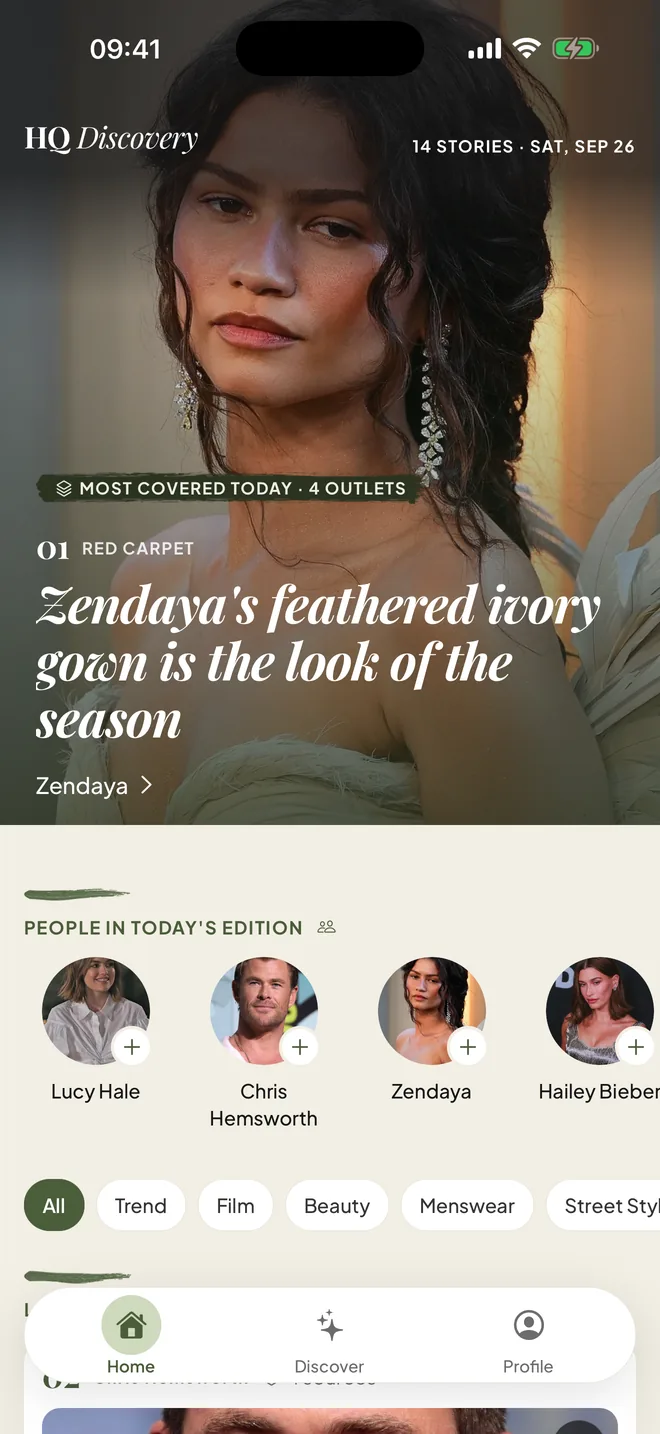
Home: today’s most-covered story and the people in the edition 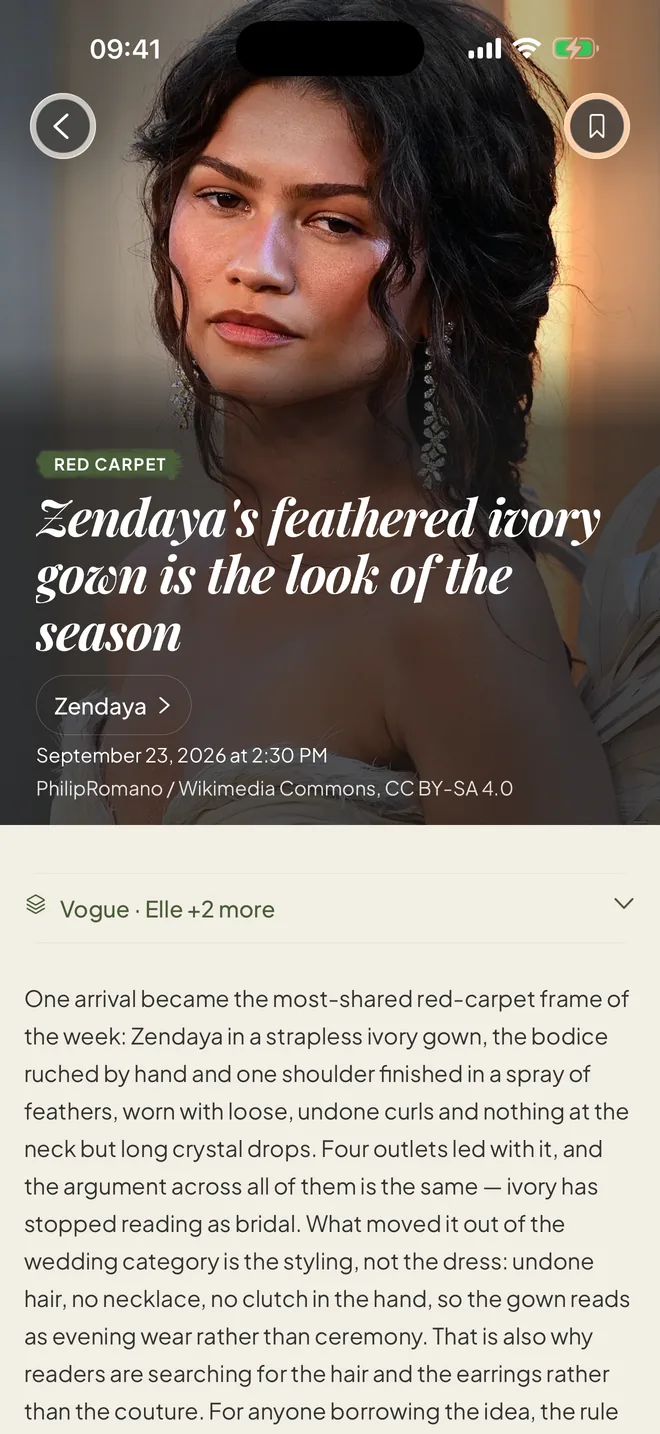
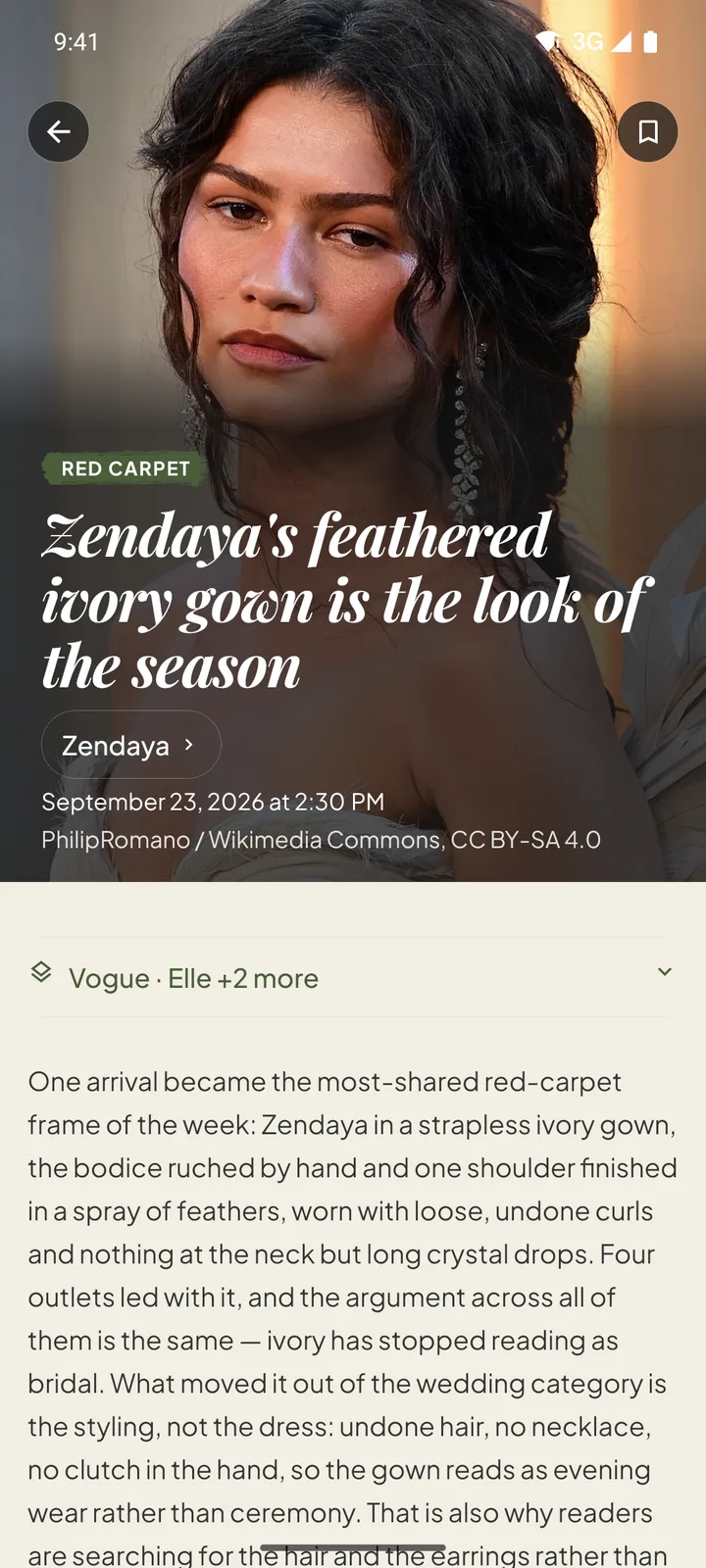
Story: photo credit, the editor’s summary and every outlet 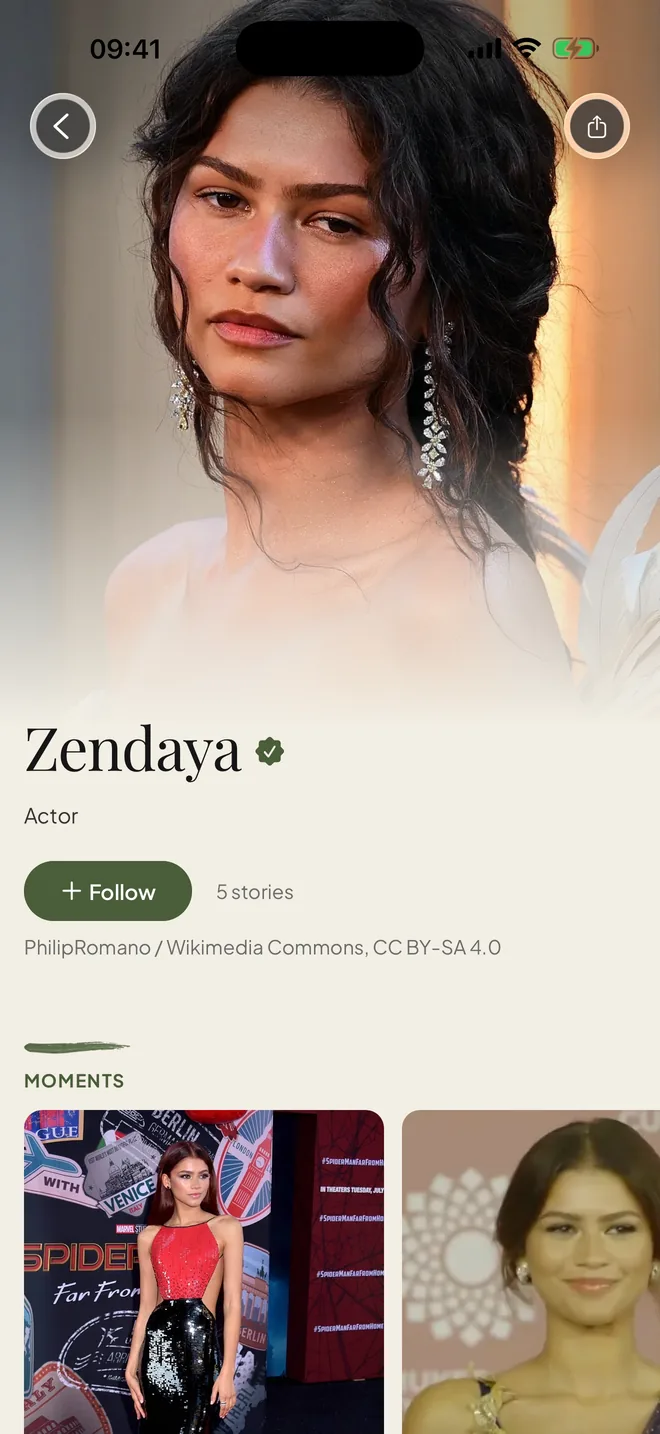
Celebrity page: follow, stories and moments 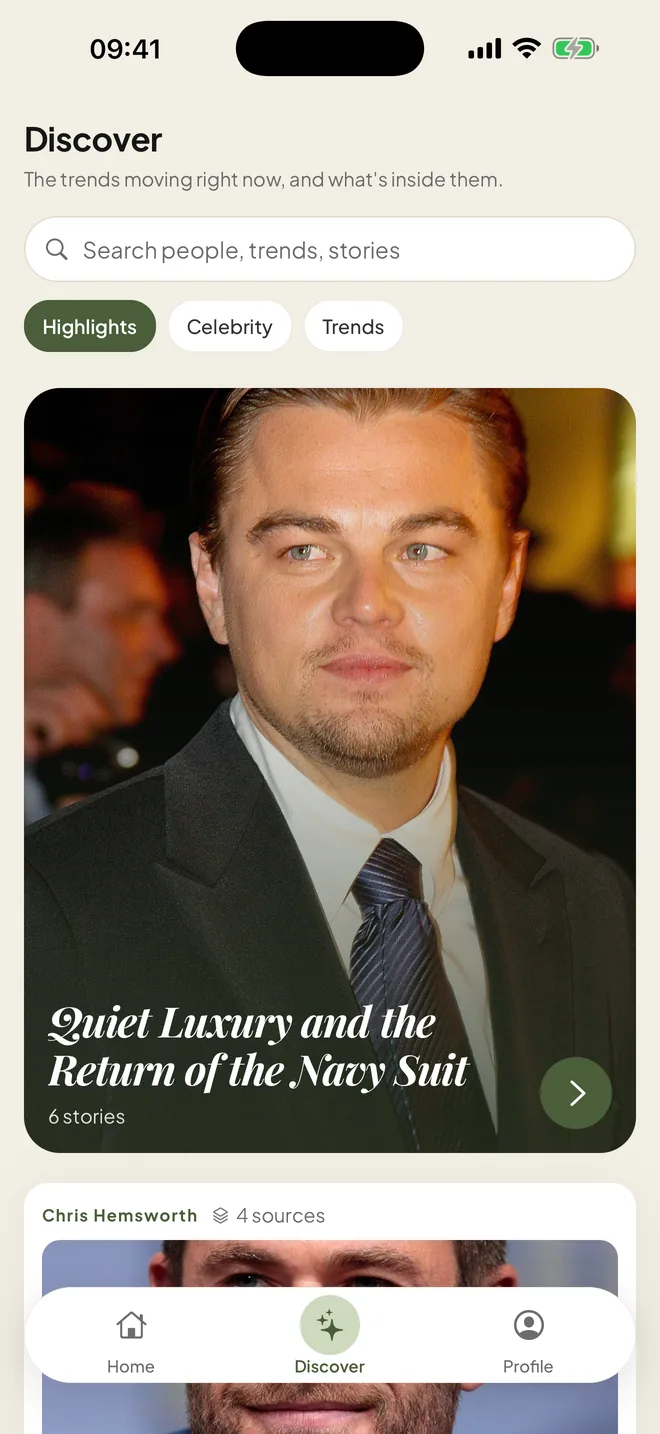
Discover: the trends moving right now 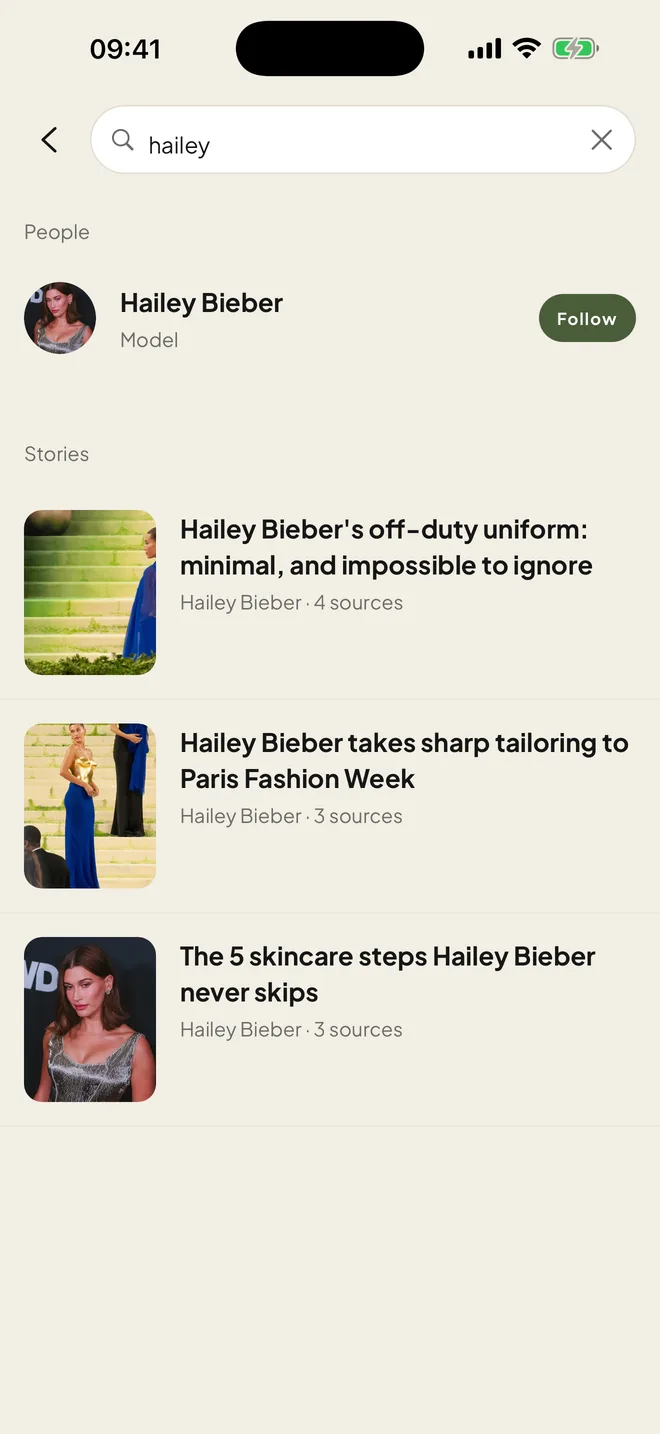
Search across people and stories 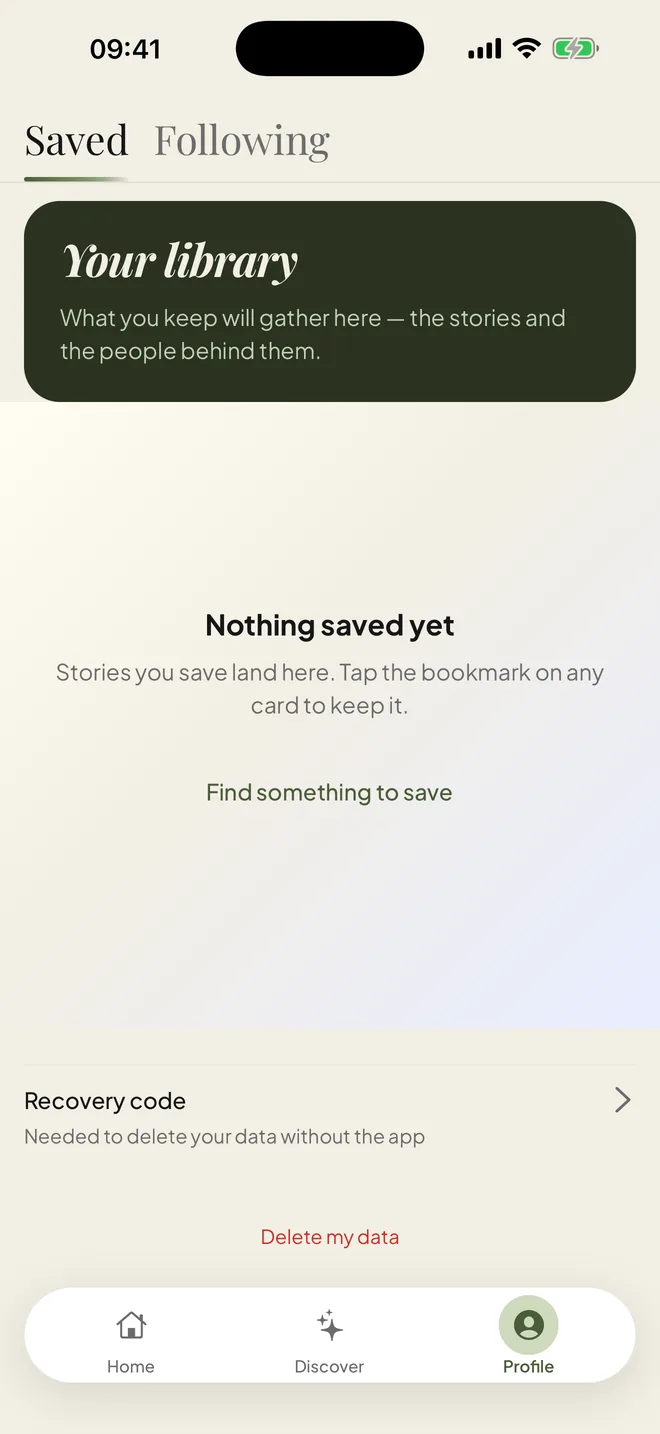
Profile: your library, recovery code and Delete my data
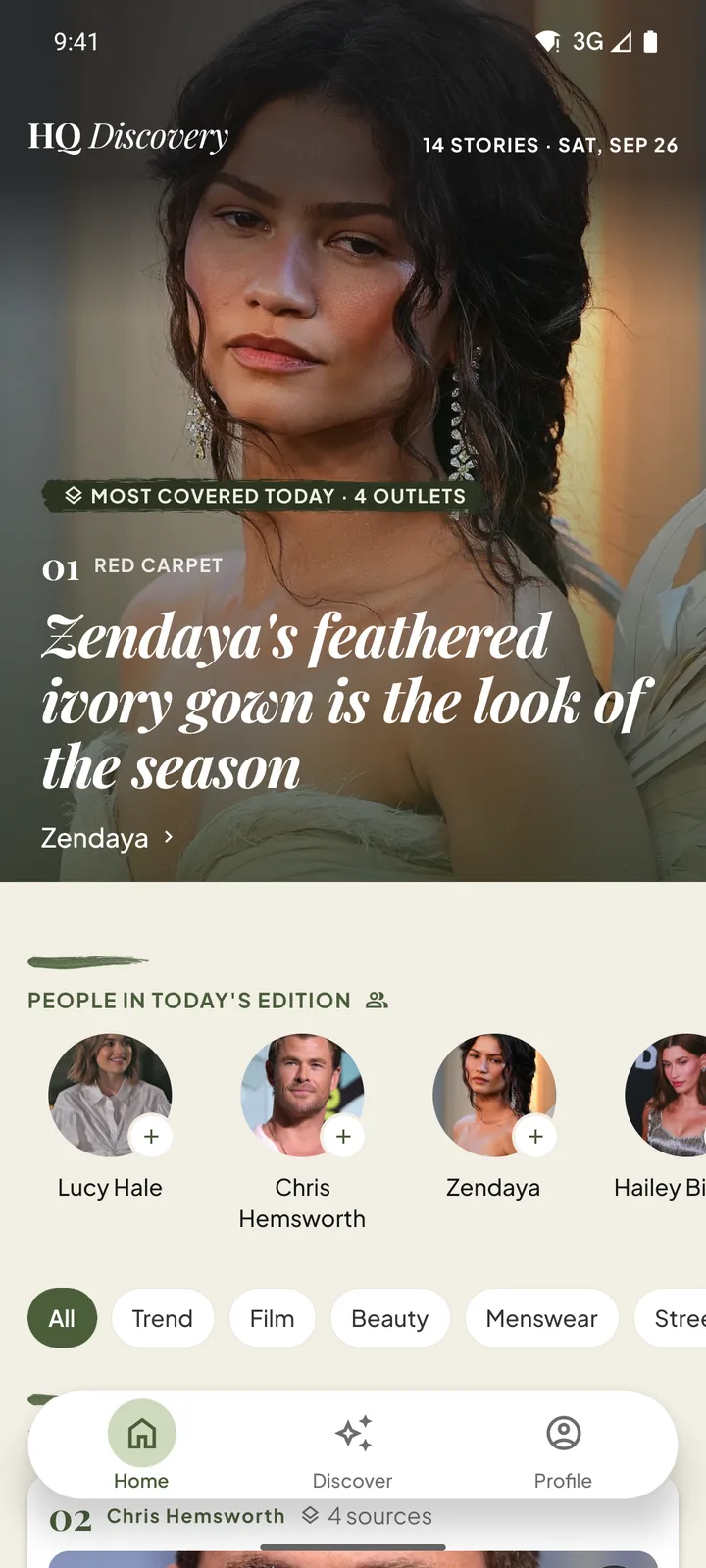
Home: today’s most-covered story and the people in the edition Story: photo credit, the editor’s summary and every outlet 
Celebrity page: follow, stories and moments 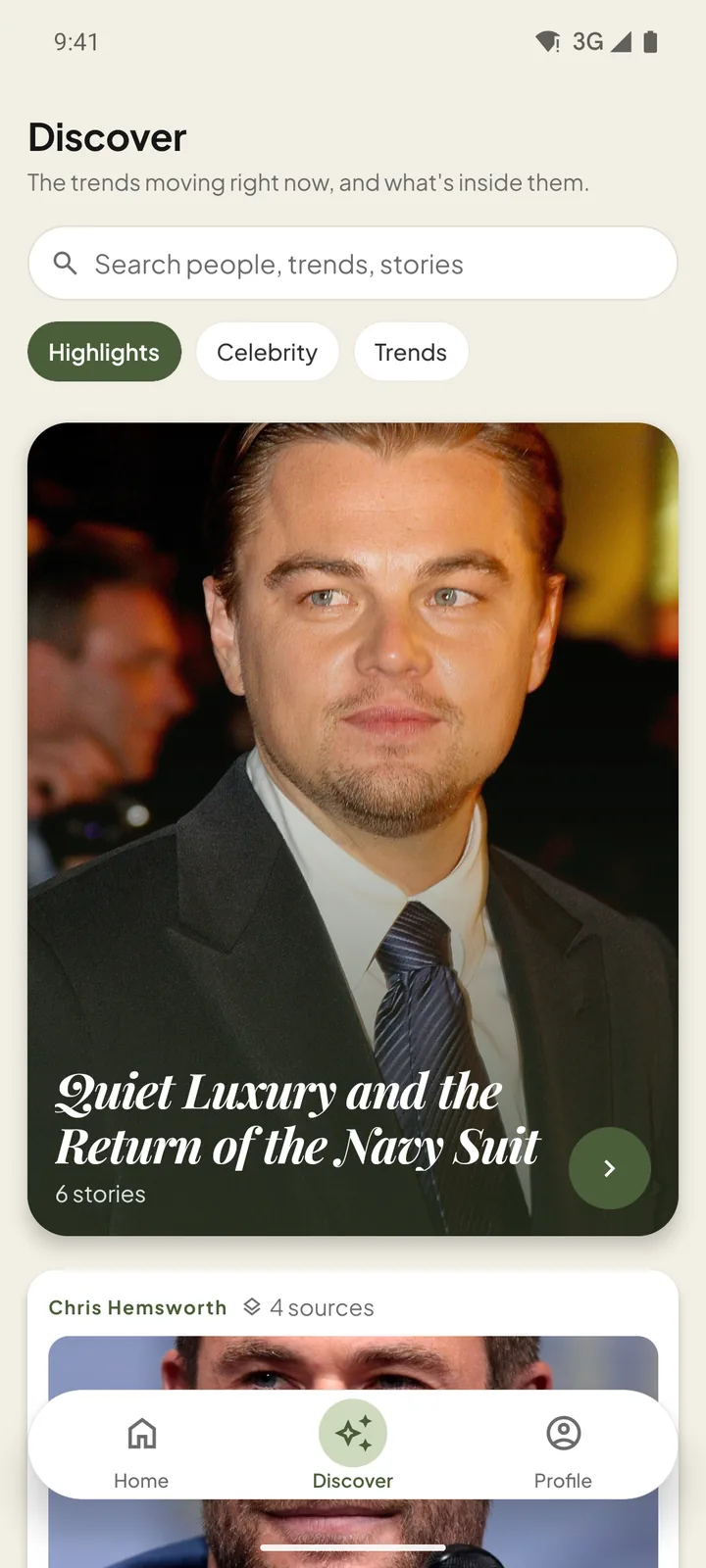
Discover: the trends moving right now 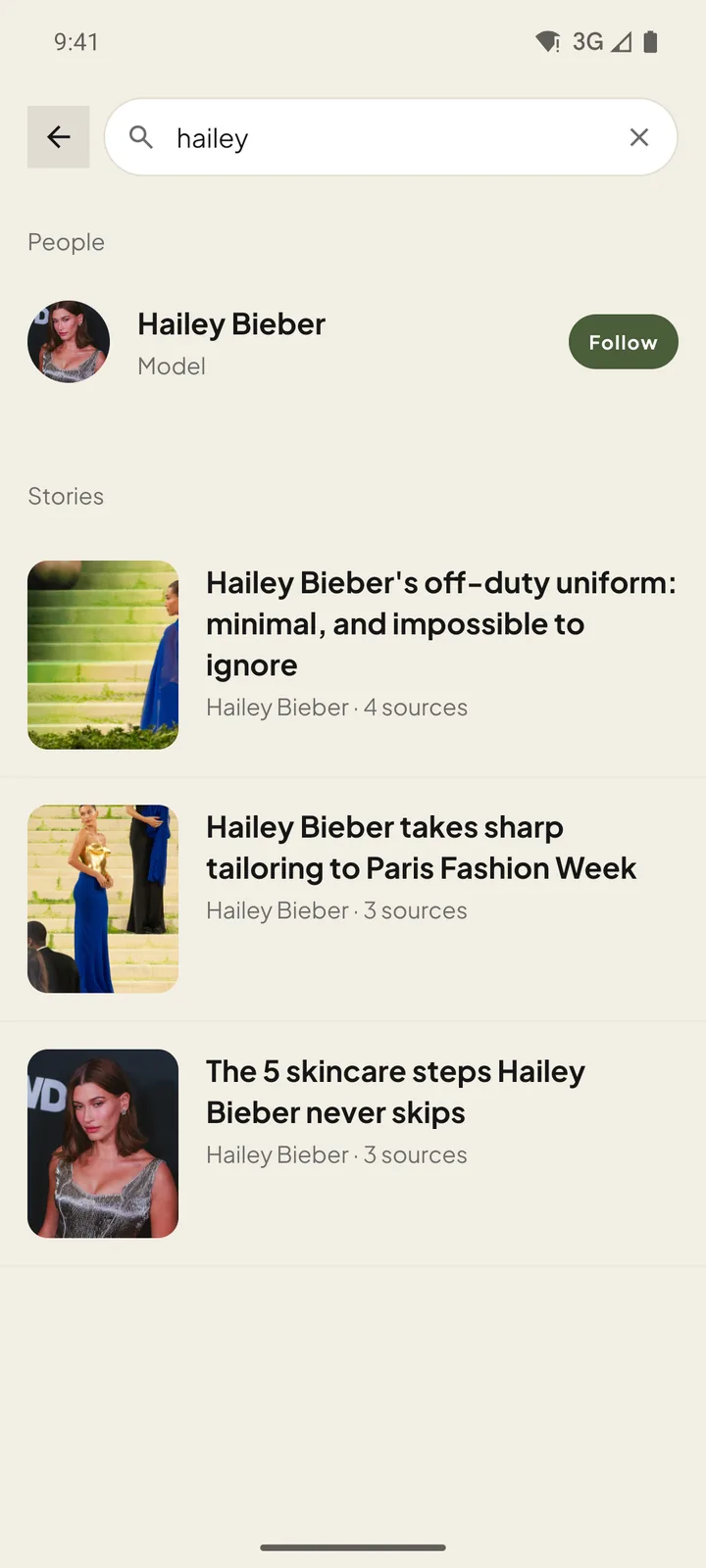
Search across people and stories 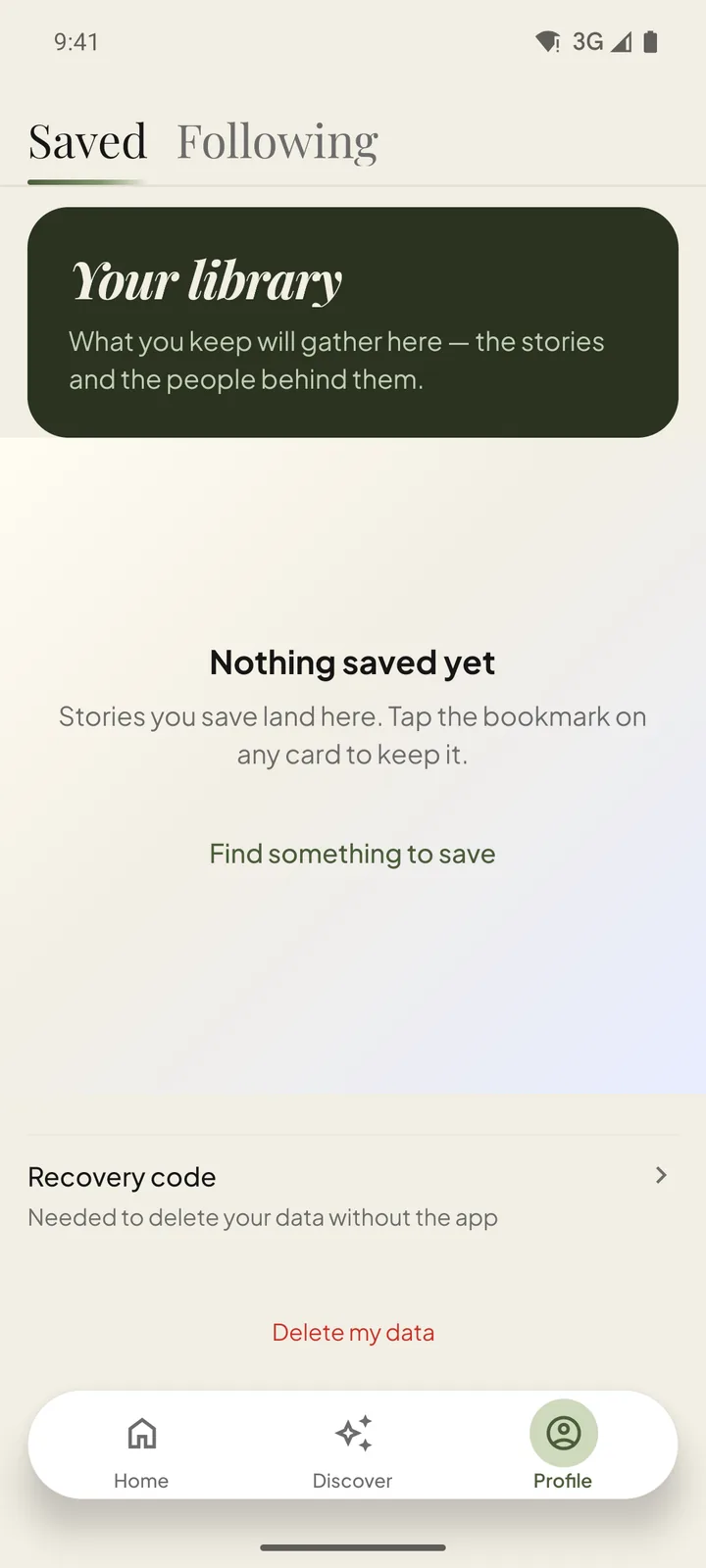
Profile: your library, recovery code and Delete my data
Photos in the screenshots. From Wikimedia Commons, by: Gage Skidmore (CC BY-SA 2.0 / 3.0), Colin Chou (CC BY-SA 3.0), Danorton (CC BY-SA 4.0), Lou Stejskal (CC BY 2.0), Peter T from Brooklyn (CC BY 2.0), SWinxy (CC BY 4.0), Kevin Paul (CC BY 4.0), PhilipRomano (CC BY-SA 4.0), Toglenn (CC BY-SA 4.0), Jay Dixit (CC BY-SA 4.0), Sara Komatsu (CC BY-SA 4.0), SkywalkerEccleston (CC BY-SA 4.0), MTV International (CC BY 3.0), Joey D'Amato (CC BY 3.0), Sam Rubin (CC BY 3.0), News18 Assam/Northeast (CC BY 3.0), Renan Katayama (CC BY-SA 2.0). Creative Commons licences (Open the official page).
Editorial principles
Credit is not optional
Every story names its outlets, and every photo shows its author and licence. Our publishing tool refuses an image without a licence.
The click goes to the publisher
HQ Discovery shows a headline, a summary and a lead image, then sends you to the original article in an in-app browser.
No implied endorsement
Photos of public figures are shown to report on them. Nobody shown is presented as endorsing HQ Discovery.
Corrections are one email away
Publishers and rights holders can ask for a correction or removal at the address on the support page.
A small, deliberate stack
- One codebase, two platforms
- React Native with Expo for iPhone and Android, with native navigation, image caching and system secure storage.
- Its own editorial backend
- A NestJS API on PostgreSQL serves the public edition, and a Vietnamese-language CMS lets editors group sources, write summaries and check image licences before anything is published.
- No third-party SDKs that watch you
- No advertising, analytics, attribution or crash-reporting SDK. The app requests no camera, location, contacts or photo permission.
- Deletion built in
- Delete my data removes the profile on the server first, then on the phone, and says so plainly if you are offline.
Almost nothing to collect
You can read HQ Discovery without giving us anything. Only when you save or follow does the app create an anonymous profile — no name, email or phone number — so your library can be restored or deleted.
- Data linked to you
- An anonymous profile ID, plus the stories you save and the people you follow
- Tracking
- None — no advertising ID, so no App Tracking Transparency prompt
- Shared with third parties
- Nothing, except hosting providers that run the service on our behalf
- Deletion
- In the app (Profile → Delete my data) or by email, without the app
- Privacy policyWhat is stored, what is not, how it is protected and how long it is kept.
- Delete your dataTwo ways to delete: in the app right away, or by email if you no longer have it.
- Terms of useHow publishers’ content and photos are used, and how to request a correction.
- SupportHow to reach us, what to include in a bug report, and common questions.
The Apple and Google rules these pages meet
- Apple · App Review Guidelines 5.1.1(Open the official page)
A privacy policy linked in App Store Connect and inside the app; apps that create an account must let users delete it in the app.
- Apple · Offering account deletion(Open the official page)
Deletion must remove the account and its associated data, and be easy to find.
- Google Play · User Data policy(Open the official page)
A public, non-geofenced policy that names the developer and gives a privacy contact.
- Google Play · Account deletion(Open the official page)
A web link where users can request deletion without reinstalling the app.
- Google Play · Data safety(Open the official page)
A declaration of collection, sharing, encryption and deletion that matches this policy.
- Google Play · News apps(Open the official page)
News apps must show their publisher and a working contact, and credit their sources.
Store terms: Apple standard EULA (Open the official page) · Google Play Terms of Service (Open the official page)
Developer: Waebox Media (WAEBOX MEDIA COMPANY), 242/05 Dien Bien Phu, Chinh Gian, Thanh Khe, Da Nang, Vietnam.